Vessel Tracking Add-On
Track vessels in real time with Terminal49 to allow for accurate container visibility.
Setup Terminal49 and link your account
Users will need to setup an account with Terminal49 (terminal49.com).
Terminal49 Integration – Plan Types
- Free account: Users can create a tracking request for Terminal49 within Business Central (via Link with Terminal49). This does not update container information in Business Central automatically and does not provide GeoLocation into BC.
- Lite: Users can create tracking requests the same way, and Terminal49 information populates automatically in Business Central once linked. This option does not provide GeoLocation coordinates.
- Essential: Required to pull container information from Terminal49 through their API (see API Key setup above). This plan does not include Vessel GeoLocation.
- Complete: Pulls the same information as the Essential plan via the API, but also includes Vessel GeoLocation.
For a full breakdown of plan options and pricing, visit Terminal49's Pricing Plans page (https://terminal49.com/pricing) to see which plan best fits your needs.
Create API Key
After setting up a Terminal49 account, you'll need an API Key to connect it to Business Central.
- In Terminal49, go to Developers > API Keys.
- Click Create API Key.
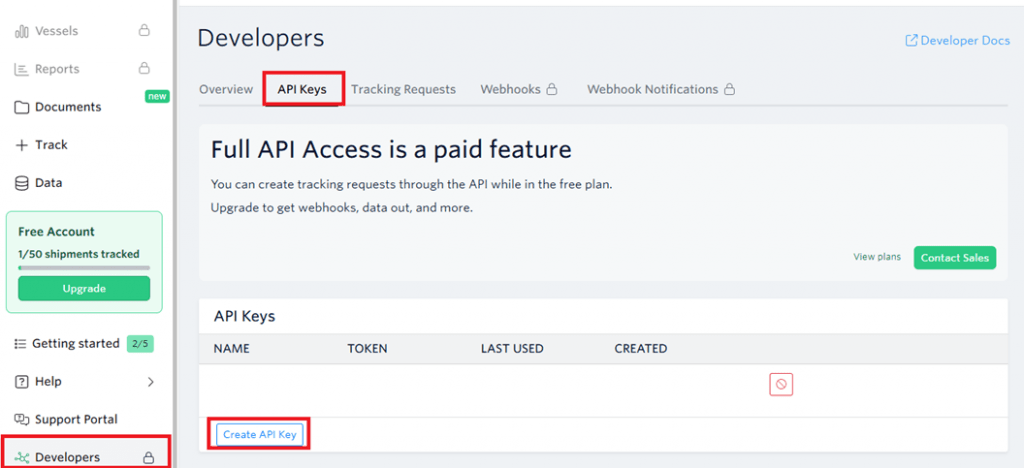
- Once the API is created, copy the generated TOKEN value.
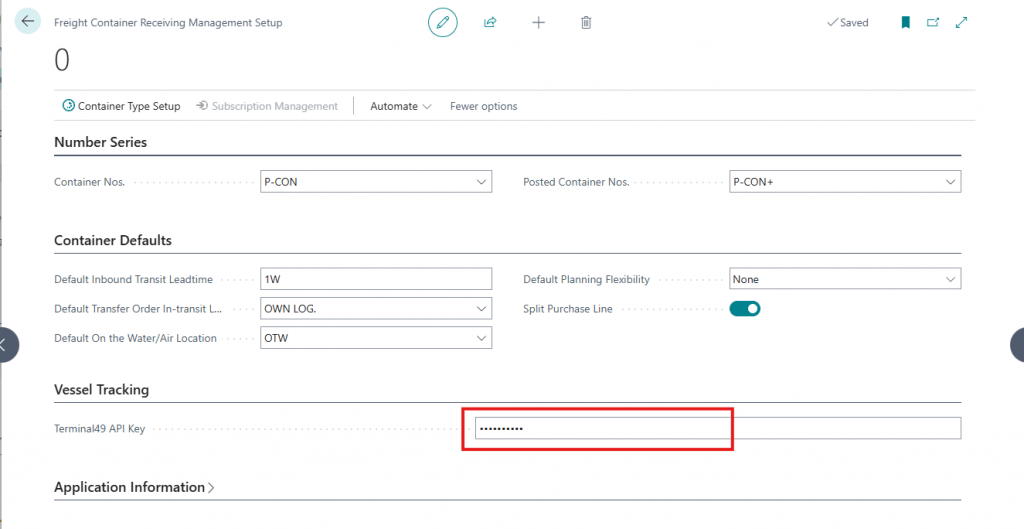
- In Business Central, open the Freight Container Management Setup page and paste the value into the Terminal49 API Token field.
Track your vessel
Before linking, the container record must have a Container No. populated. Free accounts also require the SCAC Code to be populated before tracking.
To link the container:
- Click Home > Link with Terminal49.
- Confirm the message when prompted.
The container will then be tracked through Terminal49. Depending on your Terminal49 account type, information may automatically populate in Business Central.
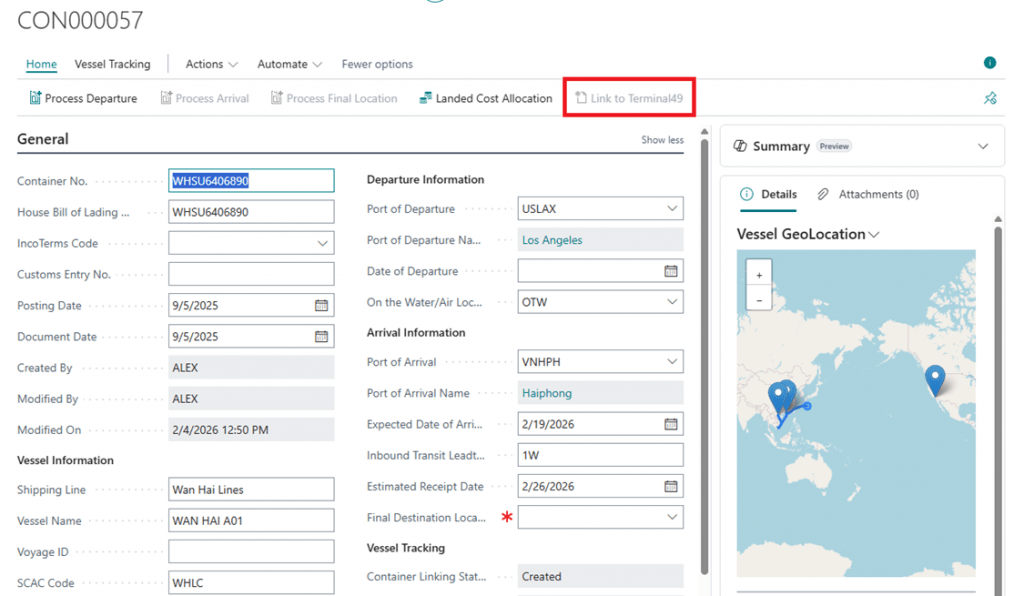
*Note: Terminal49 cannot track and create Container Lines, these will still need to be populated by the user
Fields updated by Terminal49 integration
- House Bill of Lading No.
- SCAC Code
- Shipping Line
- Port of Departure
- Port of Arrival
- Vessel Name
- Vessel IMO
- Expected Date of Arrival
- Est. Departure Date
- Date of Departure